Web and mobile apps
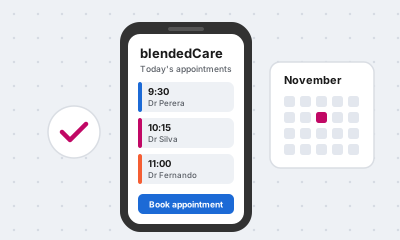
blendedCare
Doctor appointment booking for clinics and medical practices.
Ask for a demo
We upgrade, extend and connect Microsoft Dynamics 365 Business Central, and build the web and mobile apps that work alongside it. Australian-led, built in Sri Lanka.

Upgrades from NAV, extensions, reports and ongoing support for Business Central.
NAV upgrades SupportConnect Business Central to Shopify, Magento, MachShip, Locate2u, banks and Azure.
Find out moreWeb and mobile apps, portals and workflow tools built with React and Next.js.
Find out moreAL developers working under your brand when your own team is fully booked.
Find out moreTechnologies and solutions we work with
 Business Central


 Azure
 React
 Node.js
Microsoft's extended support end dates for NAV and Business Central 14 on-premises. After these dates there are no more security fixes or tax updates.
Dates follow Microsoft's fixed lifecycle policy. Not sure which version you run? Ask us to check.
These partners already trust our team with work for their clients.

Microsoft partner
Business Central specialists, United Kingdom
Visit website
Singapore and Sri Lanka
Visit website
 Asttrum
Partner
Visit website
Every upgrade follows the same five stages, so you always know what comes next.
We review your version, customisations, add-ons and data size.
You get the upgrade path, a fixed scope and a price.
Customisations become AL extensions. Nothing touches your live system.
Your team tests real transactions in a copy of your company.
We cut over on an agreed date and support you through the first month-end.
Colombo is 4.5 to 5.5 hours behind Sydney, depending on daylight saving, so our working days overlap every Australian afternoon.
Scoping, contracts, meetings in your time zone, and invoices in Australian dollars.
AL and C/AL development, testing, data upgrades, and React and Next.js work.
Software we have built and run ourselves, ready to set up for your business.
Doctor appointment booking for clinics and medical practices.
Ask for a demo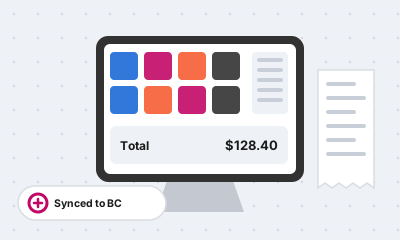
A point-of-sale system connected to Microsoft Dynamics 365 Business Central.
Ask for a demo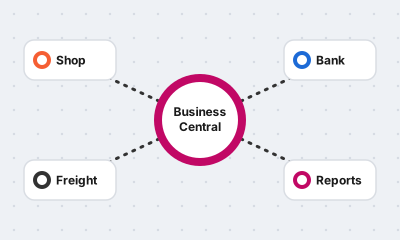
A ready-made connector for linking Business Central with other business systems.
Ask for a demo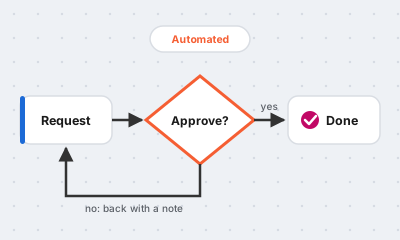
A workflow engine for automating approvals and business processes. Currently in development.
Register your interestAn Australian safety equipment and embroidery business uses an outside embroidery team. We built a web app that receives released orders from Business Central, lets the team mark them complete, and sends status, reports and billing back.
A US company running Business Central with Insight Works apps wanted customers to get a shipment confirmation, with tracking details and the packing slip, as soon as an order ships. We built it as a Business Central extension.
A Business Central customer in Abu Dhabi needed bank files to reach their bank without manual uploads. We built the integration on Azure Logic Apps and Azure Functions.
Yes. NAV keeps running, but Microsoft stops releasing security fixes and tax updates, and will not help your partner with problems. The risk grows each year you stay.
No. You can run Business Central on-premises or online. A NAV system is first upgraded to Business Central on-premises, and can then move online if you want it to.
It depends on how many customisations and add-ons you have and how much data you keep. The health check gives you a written estimate before you commit to anything.
Yes. We often write code for Microsoft partners under their brand, and we can work alongside your current partner if you want to keep them for licensing or functional support.
Your contracts, meetings and invoices are handled in Australia. The development work is done by our team in Sri Lanka, which keeps the hourly rate well below onshore rates.